AI coding harnesses shape a lot of how you work with AI. Claude Code, Codex, OpenCode, GitHub Copilot, and others each have their own conventions for planning and implementing code. The pace of change is exciting, but teams still need a consistent way to work with agents if they want maintainable code.
Most recently, I have felt like I need an AI coding workflow that survives new sessions or teammates choosing different tools. More importantly, it needs to give the team a shared way to plan, document decisions, build, and review work as the tooling changes.
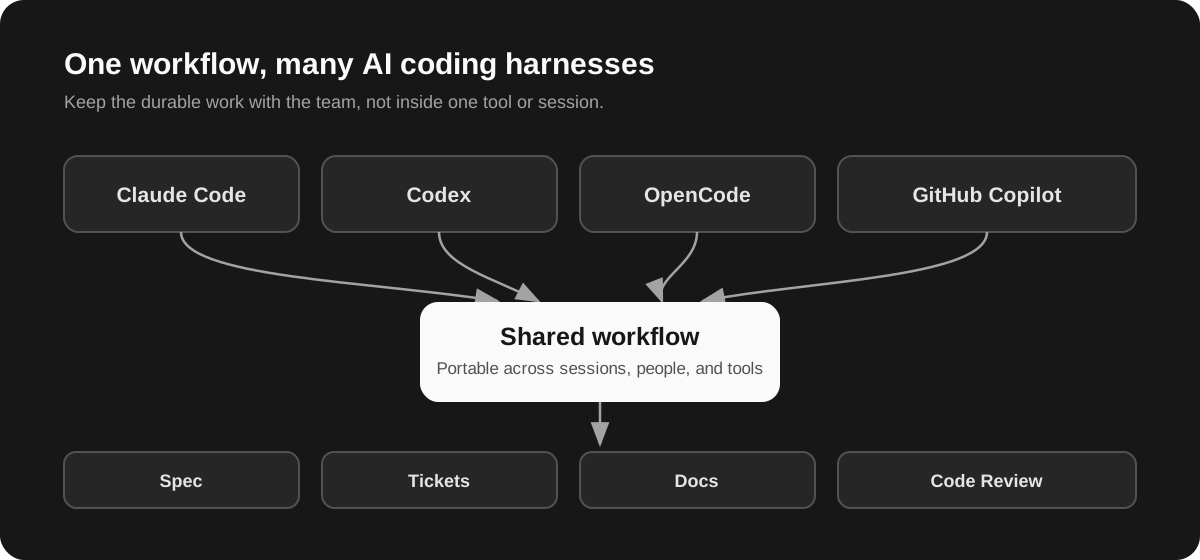
What changed for me
Matt Pocock's skills gave me a practical way to work through this. They are small, composable skills for engineering work. I can use one when it helps without adopting the entire collection or changing how the team already works.
Persist the plan, tickets, decisions, or documents. Do not leave the important part of the work in a chat.
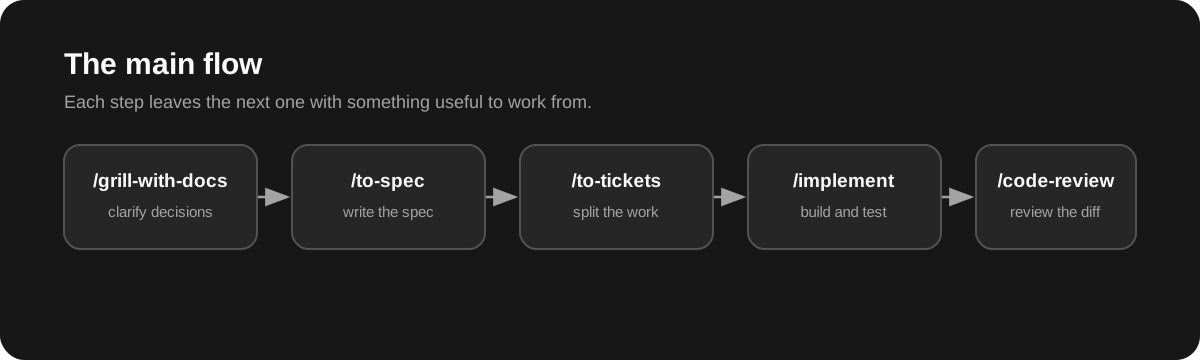
The pattern I keep coming back to follows the main flow:
- Use
/grill-with-docsto clarify the work and record the decisions that shape it. - Run
/to-specto turn that agreed conversation into a written spec. - Run
/to-ticketsto split the spec into small tickets that another person, agent, or session can pick up. - Use
/implementto build one focused ticket, test driven-first. - Run
/code-reviewto review the diff against both the spec and the team's standards.
The skills also connect to the shared context in the repository. domain-modeling gives the team a place to record the language and decisions that guide the work.
Sometimes I use the whole flow. Other times, I use individual skills. For example, if an AI gives me an incomprehensible, jargon-filled response, /wait-what helps when the explanation does not land. The skills work because I can use the parts I need.
Persist your plan
Planning in a chat is convenient. It gets harder to use when the plan only exists in that chat.
Before using the skills run the /setup-matt-pocock-skills skill to configure how you want to track the work. I usually track the work in one of two places:
- GitHub Issues: when I want the work tracked in a central place, available to look back on, and connected to pull request merge policies.
- Local Markdown: when I want a disconnected experience that stays local to me.
I keep local Markdown issue files out of Git. They are useful working material, but I do not want planning notes and the content of issues to pollute the repository as it runs the risk of AI picking up unintended context.
Documentation that guides future work should be deliberate.
Give agents smaller pieces of work
After /to-spec and /to-tickets have produced a spec and a set of tickets, I start a new AI coding session. I give the agent the spec and the ticket I want it to work on. That keeps the implementation session focused on one piece of the feature and starts with fresh context.
Before I start, I sometimes ask the original session which tickets can safely be worked on in parallel. This is also where I decide how I want the agent to handle commits when executing the /implement skill.
For individual tickets, I prefer to review the changes myself before anything is committed. I explicitly ask the agent to:
- Leave the changes uncommitted until I have reviewed and approved them.
- Run a
/code-reviewon its own work before it hands the diff back to me.
AI code can look plausible while still leaving a codebase hard to maintain. Matt's /code-review skill uses separate subagents, so its review comes from a different context than the implementation. I find that leads to more issues being caught.
With this flow, I find that the resulting code is cleaner and the commits are higher quality than when each ticket is committed as soon as the agent finishes it.
Even though AI review gives me more confidence, I ultimately still own the architecture, standards, shipped behavior, and decision to accept the change.
Keep documentation in the codebase
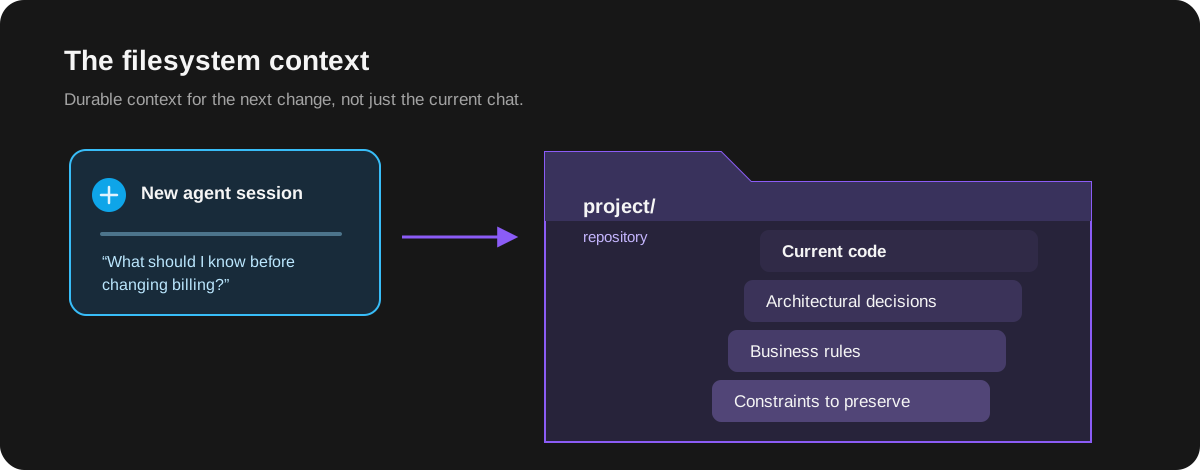
The filesystem is the easiest way for agents to have better context. For this reason, after a ticket is implemented and reviewed, I'll have my AI agent extract the important parts of the work into documentation. This is saves the important parts below as markdown files in a /docs directory:
- Business rules that are not obvious from an implementation.
- The domain language the team expects everyone to use.
- Architectural decisions and the trade-offs behind them.
- Constraints a future contributor could accidentally undo.
Matt's /domain-modeling skill is a good example. It supports a shared domain model and lightweight ADRs for decisions that are hard to reverse, easy to misunderstand, and based on real trade-offs.
I review the ADRs to make sure they still match what we implemented. I do not document every detail. I capture enough to prevent a costly re-explanation or a wrong turn, while keeping the documentation accurate and minimal.
The next agent, session, or teammate can start with the issue and the repository instead of reconstructing a chat.
Adopt the pieces that solve real friction
Overall my recommendation is to start with the friction your team already has:
- Plans disappear when a session ends.
- Features are too broad for one agent to implement safely.
- Important decisions live in someone's head instead of the repository.
- Reviews confirm an implementation without challenging its assumptions.
This is what has worked for me in an ever evolving AI coding software lifecycle. Hope this helps!